Building Acta: A Legal AI Workspace for Notaries and Law Firms
- Case Studies
- 4 min read
Why I built Acta, an AI workspace that answers from an office's own documents with the source page, fills Word templates, translates and anonymizes, and how I built it alone.
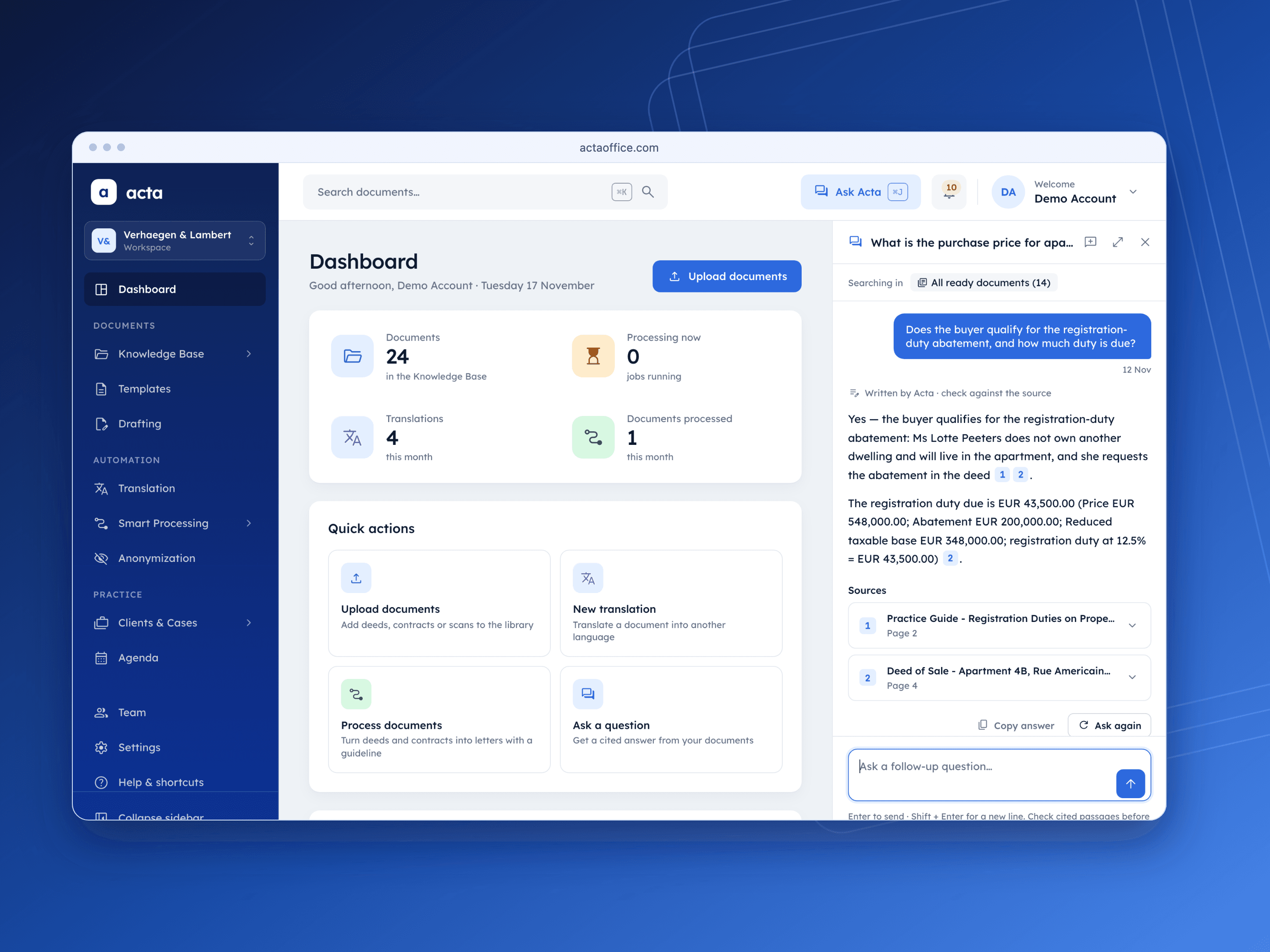
Acta is my own product, a web app for notary offices, lawyers and law firms. You upload the office's files once, and Acta helps with the work around them: it answers questions from those files and shows the page each answer comes from, fills the office's own Word templates, translates while keeping the layout, and removes personal data before a document is shared. A person always checks the result.
I design and build Acta alone: the web app, the API, the background worker, the database, the website and the demo data. It is live and free during the pilot. The technical side is in the Acta case study. This post is about why I built it and how.
The Problem
Notary offices and law firms spend a lot of time on document tasks that are not legal work:
- Finding one fact in a long file. A clause, a date, a plot number, somewhere in a long deed or an old email.
- Typing the same facts again. The names, addresses and amounts from a sale agreement go into the deed, then into a letter, then into another letter.
- Writing the same kind of letter again. Each one written by hand.
- Translating for a foreign client. The text is quick, fixing the layout after is not.
- Hiding names before sharing. Black boxes over a PDF, page by page.
That's the work I built Acta to take on.
Why Not Just Use ChatGPT?
A general chatbot has never seen your deed unless you paste it in, its answers come without a page, every person has their own chats, it doesn't fill your Word template with your letterhead, and client data ends up in personal accounts.
Then there is where the data goes. Acta uses strong AI models hosted in Europe, so your data never leaves Europe. We aim to be GDPR compliant by Q1 2027.
The model is not the hard part. The workspace around it is: reading every kind of file an office has, keeping each office's data apart, citing the right page, and producing a file the office can send.
What Acta Does Today
- Ask Acta. Ask a question about the office's documents and get an answer with numbered sources. One click opens the document at the cited page. Type @ to ask about one client or one case.
- Drafting. Fill the office's own Word templates. "Fill in with Acta" reads the case and its documents and proposes each value, with where it came from.
- Smart Processing. Show Acta a few documents before and after the office worked on them, like a deed and the letter sent to the buyer. It writes the steps in plain words, checks them against the examples, then turns new documents into results in the same look.
- Translation. PDFs, Word, Excel, slides and scans in 12 languages. A PDF comes back in its own layout.
- Anonymization. Find and hide names, IDs, bank details and addresses, scans included, then review what was removed before applying it.
- Clients & Cases, Agenda. Numbered cases with their parties, booking links for clients, intake questionnaires, and a link where clients upload the documents the office asked for, with no account.
The interface is in English, French and German.
How I Built It
One server, no backend service like Supabase. Acta runs on one server in Germany: a Next.js web app, a FastAPI API, a Python worker and PostgreSQL with pgvector for search. The AI models are hosted in Europe too.
The database checks access. Every query runs as the signed-in person, and Postgres row-level security decides which rows they can see, so each office only sees its own data.
A job queue in a table. Slow tasks like reading scans, translating or anonymizing are rows in a jobs table. The worker claims each job, renews its lease while it works and retries it if it fails, so a restart loses nothing. Questions go before uploads, and the next job goes to the office with the fewest jobs running.
Reading every kind of file. PDFs, scans with OCR, Word, Excel, PowerPoint, OpenDocument, emails with their attachments, and photos including iPhone HEIC. Sideways scans are turned upright before they are read, and a password-protected file says so instead of failing silently.
Keeping the layout in translation. On a scan, nothing says which words are bold, so Acta compares the thickness of each word's strokes with the words of the same size, then writes the translation back in the original's place.
Honest Limits
Acta is hosted, not installed on the office's own server. It is not GDPR compliant yet, that is the aim for Q1 2027. It doesn't connect to other office software yet, and it has no certifications.
Try It
Acta is free during the pilot. You can try it with the demo account on the sign-in page at actaoffice.com, or watch the demo video first. If you work in a notary office or a law firm, tell me which task takes your office the most time.
- #founder story
- #legal AI
- #RAG
- #Next.js
- #FastAPI

